Learn the language you actually need, and keep it.
Every card starts from something you met this week: the email you had to send, a line from a show, a word your professor used. Share it from any app, photograph it or say it. Nothing comes from a course.
French: a phrase picked out of an article, without leaving it Pick how it should sound (professional, polite, friends, family and more) and, if you like, the scenario: where you are and who you’re with. You get what people would actually say there, written at your level, with a scene showing it in use.
Every difference is named as meaning, vocabulary, register, grammar or culture, with a sentence on why. Where yours was right, it says so.
You never just look at the answer. You produce the phrase first: write it back from its meaning, or fill the gap in the sentence it came from. Pulling it out of memory is what makes it stay.
The scheduler, FSRS, works out when each phrase is about to slip and asks for it then. Forget it and it’s back in ten minutes. Get it right every time and it comes back after:
- 10 min
- 1 day
- 2 days
- 9 days
- 3 weeks
- 2 months
- 4 months
- 8 months
- 17 months
Worked out by OnceEver’s own scheduler, for a phrase rated Got it each time it comes due.
Each point in a phrase keeps its own schedule, so the words that slipped come back on their own and the rest waits until it’s due. You never write a card either: the version, the scene and the explanation are written for you.
Nothing to keep alive. Home opens on today’s review and on the cards you’ve scheduled: in total, per day, and over the last seven days.
Your writing never trains a modelRecordings are transcribed, then droppedEvery card exports
Not everything worth keeping is a mistake.
A card needs only one of three things to exist: something you meant, something you wrote, or something you found. Which one you brought decides what the card does next.
Your attempt beside the version a native speaker would send, with every difference named by kind. The points you keep are the ones you chose.
Words you swept out of a menu, a recording, a pasted page or someone else’s turn in a dialogue. No attempt, no marking. You’ll be asked to write them back from the meaning, or to fill them into the sentence they came from.
Ask in plain words and the answer is the card. What you asked about is filed on demand, not as an error — you didn’t get it wrong, you’d just never met it.
Four steps, and you only do two of them.
You bring the phrase
Type it, paste a page of it, photograph the sign, record the sentence, or share it straight from whatever you were reading. A phrase you only half-said counts, and so does one you simply liked.
It gets read, and marked if there’s something to mark
Bring an attempt and OnceEver writes its own version at your level and in the voice you chose, then names every difference — by category, in a sentence, over the smallest span that actually differs. Where you were right, it says so. Bring a phrase with nothing to mark and it’s simply explained.
You say what’s worth keeping
Select the points you want back — a correction, a phrase you liked, a word you asked about. Nothing is kept automatically, and a point you didn’t choose never turns up in a review.
The points come back, not the phrase
Each point you kept carries its own schedule; the card itself carries none. So the one word that tripped you doesn’t drag the rest of the sentence back with it, and a point you keep getting right appears at longer and longer intervals until it stops appearing — which is what being finished with something looks like. Nothing is ever marked learned, and nothing leaves unless you delete it.
It doesn’t just mark it wrong. It names the kind of wrong.
A false friend isn’t a slip of grammar, and the two aren’t fixed the same way. Every difference is filed under one of six kinds, in the colour it takes on the page.
You said currently. You meant actually.
The right idea, the word nobody uses for it.
Correct French, aimed at the wrong person.
Every word right, in an order French doesn’t take.
An English idiom carried across whole.
Not a mistake. It’s what a French speaker would have said.
The dot is the colour the underline takes under the words it’s about, so a red mark says grammar on every card you ever open. A phrase you kept or asked about isn’t marked at all — it’s filed on demand, outside the six, because nothing about it went wrong.
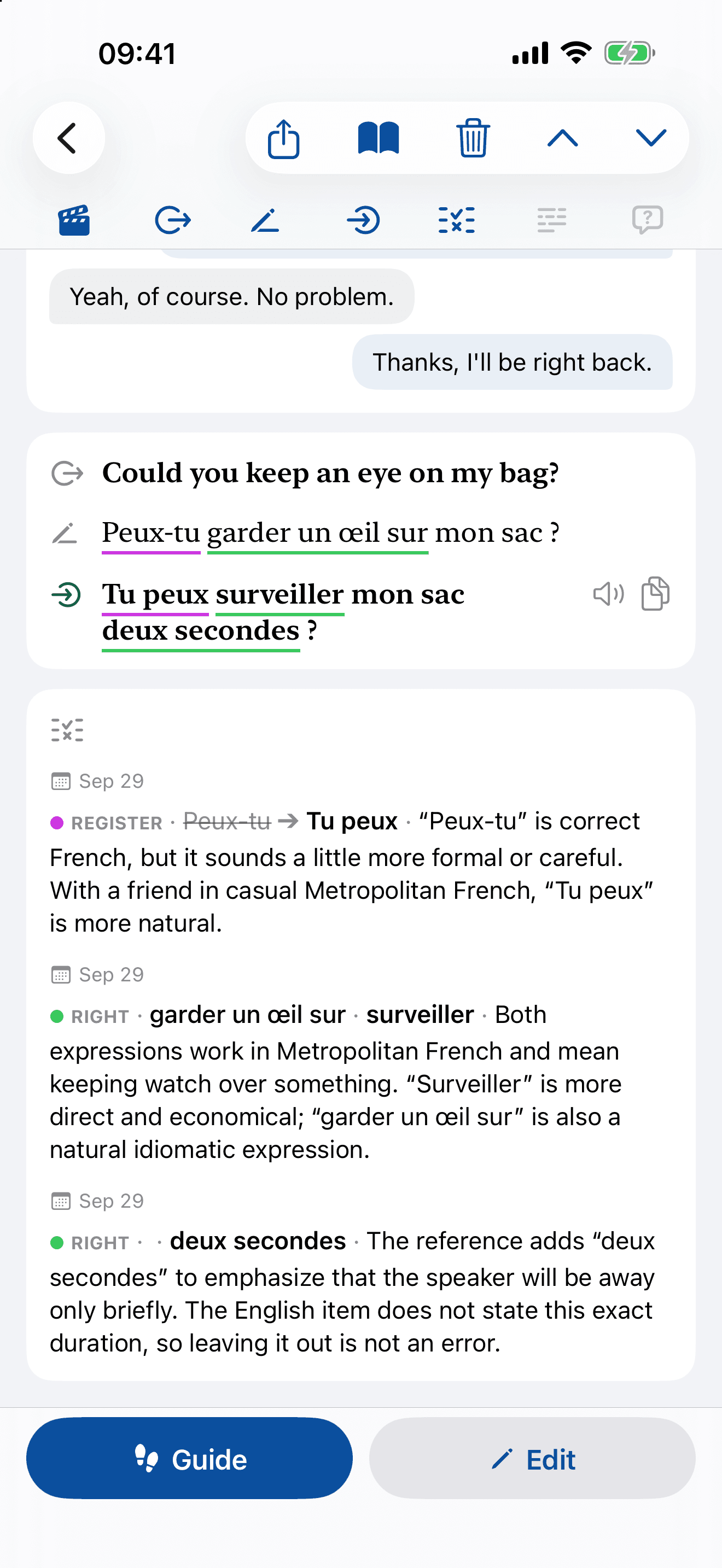
It tells you when you were right, too.
A difference isn’t always an error. Green says the app looked and decided yours stands.
Five of the ways in aren’t typing.
Whatever you met the phrase in — a menu, a podcast, a message, a page you were already reading — there’s a door for it that doesn’t ask you to copy it out first.
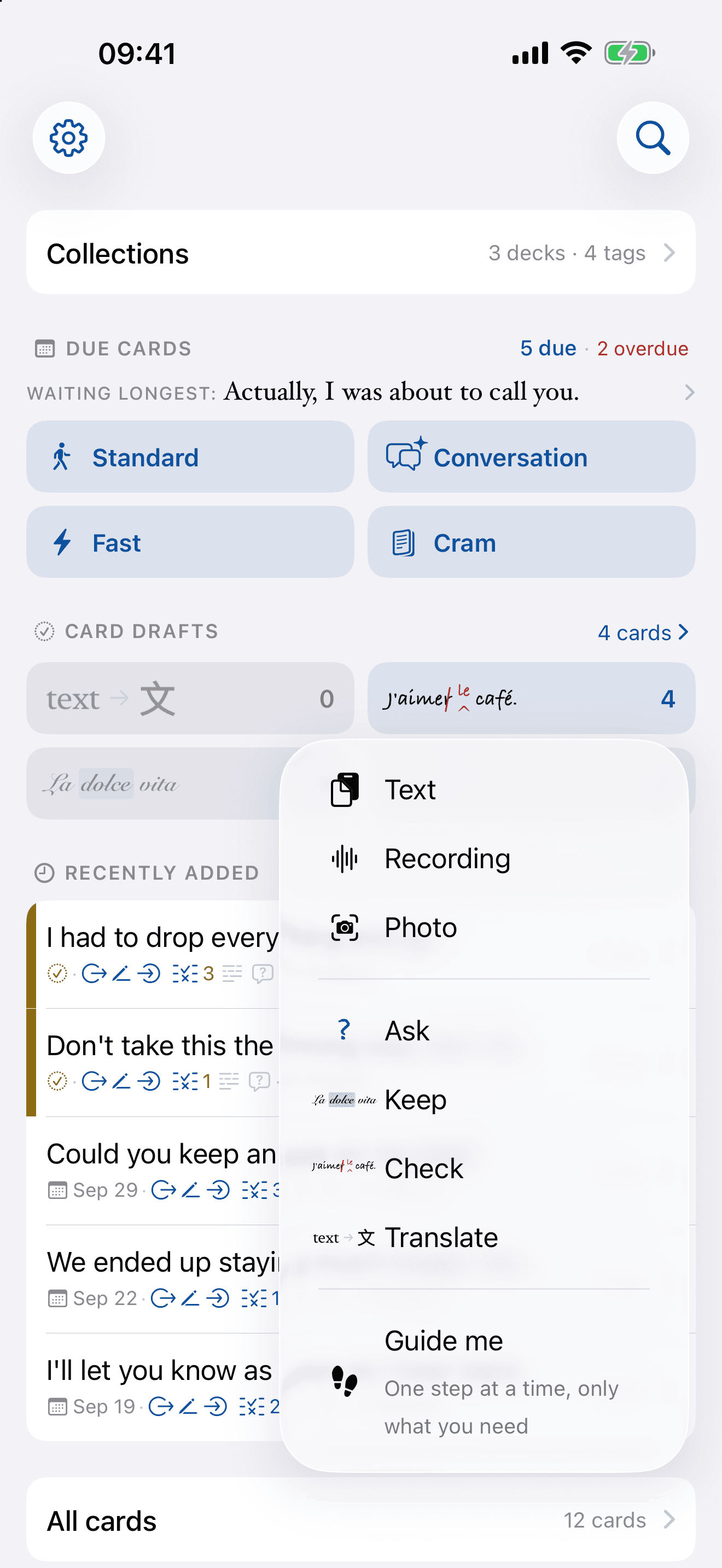
A poster, a menu, a page: photograph the words and pick the phrases worth keeping.
A talk, a conversation, the table next door: record it and pick out what you want to own.
Paste or type as much as you like — up to two hundred sentences — then sweep the phrases you want out of it.
Select the words wherever you found them, tap Share, choose OnceEver. You never leave what you were reading.
Every box takes your voice. The recording is transcribed, dropped, and handed back as editable text — speaking makes a draft, never a submission.
A short dialogue, a chat, an email, a few reviews or a news item, written at your level around what you already keep. Sweep the phrases worth having out of it.
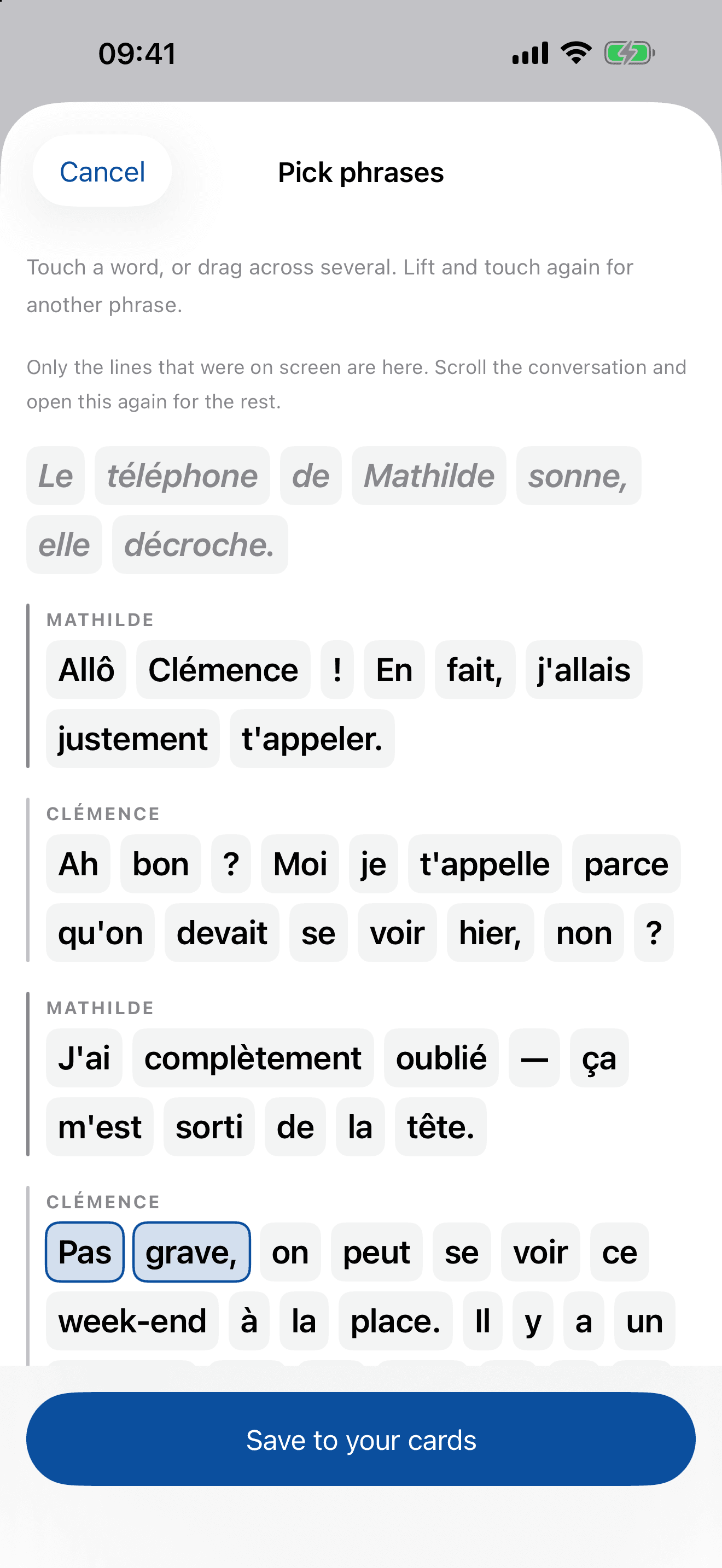
Sweep the words, not the sentence.
Drag across exactly what you want and it becomes a card with the meaning already written — or a blank to fill in the sentence it came from.
Keep a phrase without leaving the app you found it in.
Select the words anywhere on your phone — a message, an article, a subtitle, a PDF — tap Share, and choose OnceEver. The sheet opens over what you were reading with the words already tiled, you sweep the phrase you want, you save. Then you’re back where you were, mid-sentence.
Text arrives as it is. A picture is read by the same recogniser the photo capture uses. A PDF is read page by page.
The sheet borrows the session the app already has. It signs nobody in, and asks you for nothing.
It saves with the voice you last chose, and files the cards into the decks and tags you pick right there on the sheet.
A bare save makes no model call. The marking waits until you ask for it.
Which one you pick depends on what you already have.
You’re writing to the landlord about the boiler and you know exactly what you’d say in your own language. Type that, and you get the sentence a native speaker would send — at your level, in the voice you picked.
You’ve already written the message to your team and you want to know how it will land before you send it. Give both halves — what you meant, and what you wrote — and the marking can tell a mistranslation from a choice of style.
Someone said something at dinner you’d never have thought of yourself — or it was on a menu, in a podcast, two lines into a novel. Keep it, and you’ll be asked to write it back from the meaning alone.
You’ve heard « du coup » four times today and nobody has ever explained it. Ask in plain words; the answer is the card, and you can pick the phrase you want to keep straight out of it.
Pick the door that suits the morning.
Due today, late, and the drafts still owed work — counted in points, because points are what fall due. A door onto nothing is drawn greyed and won’t open.
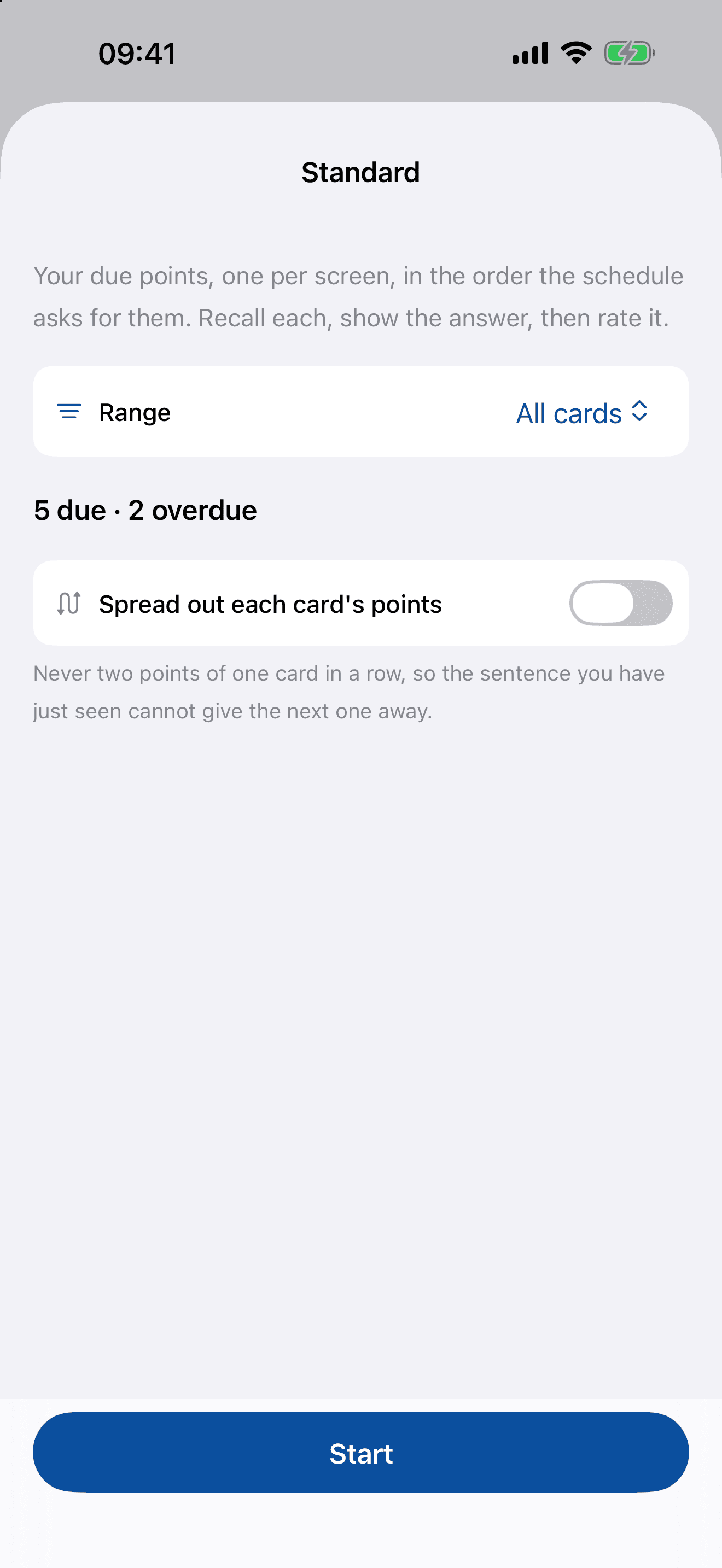
Your due points, one per screen, in the order the schedule asks for them. Recall each, show the answer, then rate it.
Every card with a point due, on one page. Recall each point, then rate it.
Every card open at once, nothing asked and nothing rated: your cards as a reading, the most overdue first.
Four ratings under each — Forgot, Hard, Got it, Easy — and a point you forgot comes back inside the same sitting, ten minutes later, rather than waiting a day. Every door reads whichever deck or tag you opened it from.
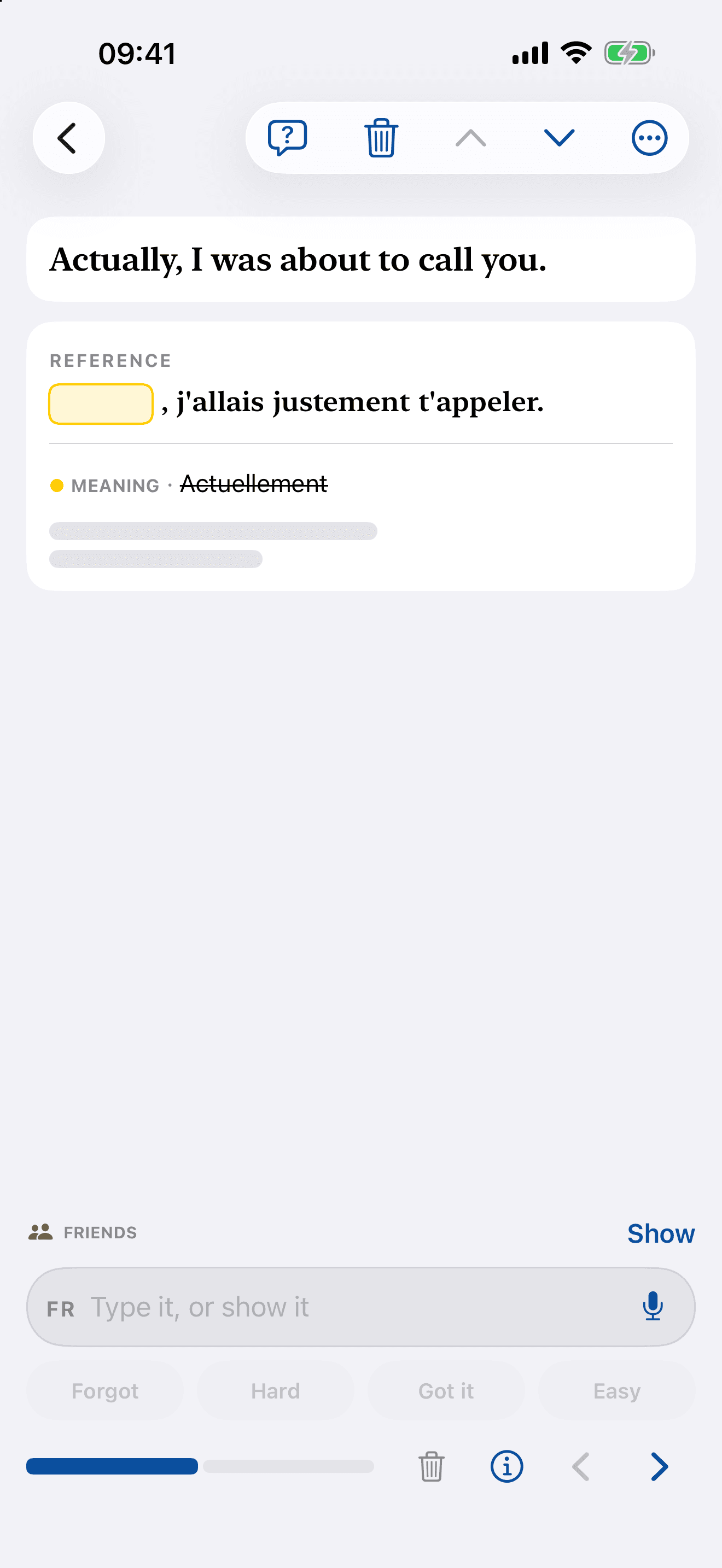
One point per screen, and you rate it yourself.
Recall it, reveal it, then say how that went. Nothing is scored for you, and nothing moves on until you’ve said so.
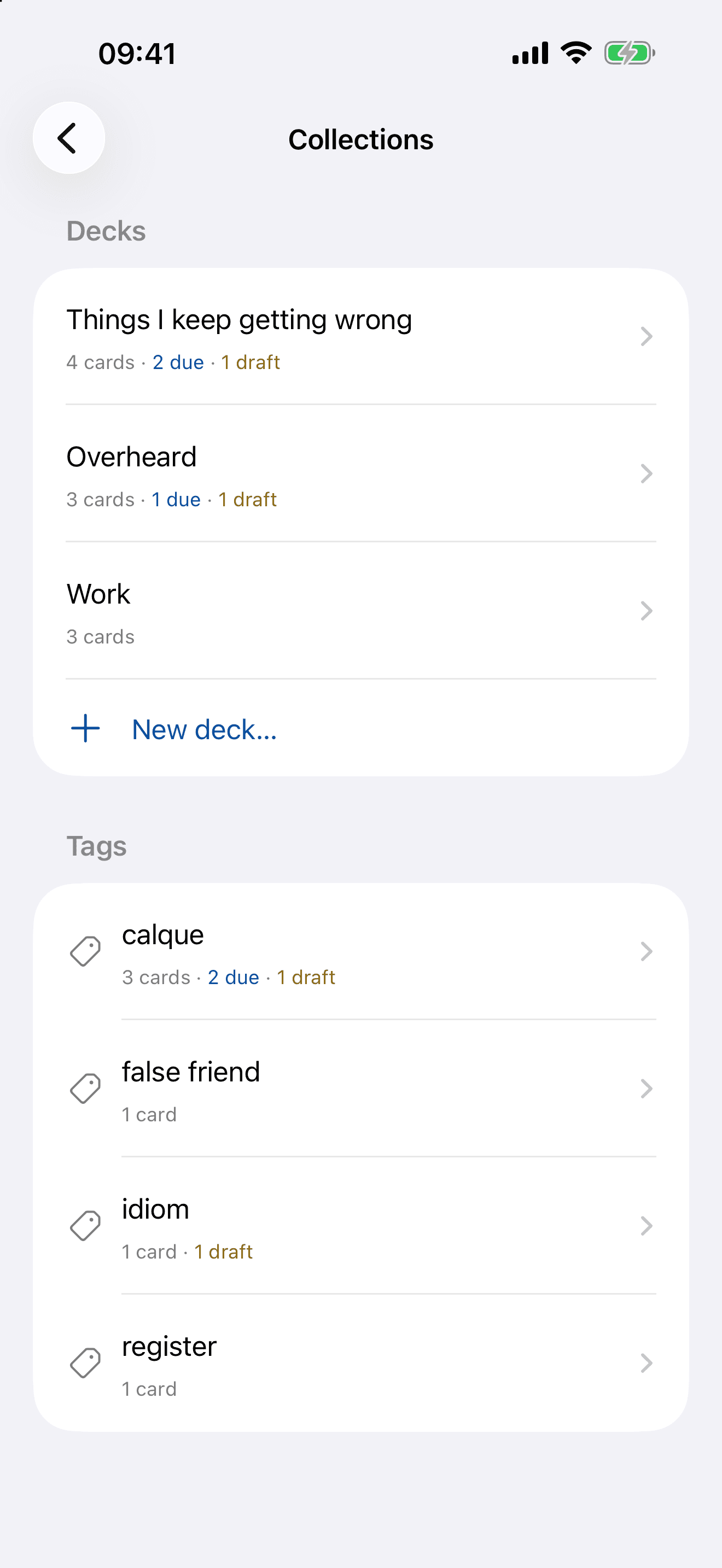
A phrasebook of everything you’ve met, sorted the way you think.
Decks and tags you named yourself, each carrying what’s due and what’s still a draft. A card leaves through the ordinary share sheet — as a file OnceEver reads back whole, and as plain text for anyone who doesn’t have it.
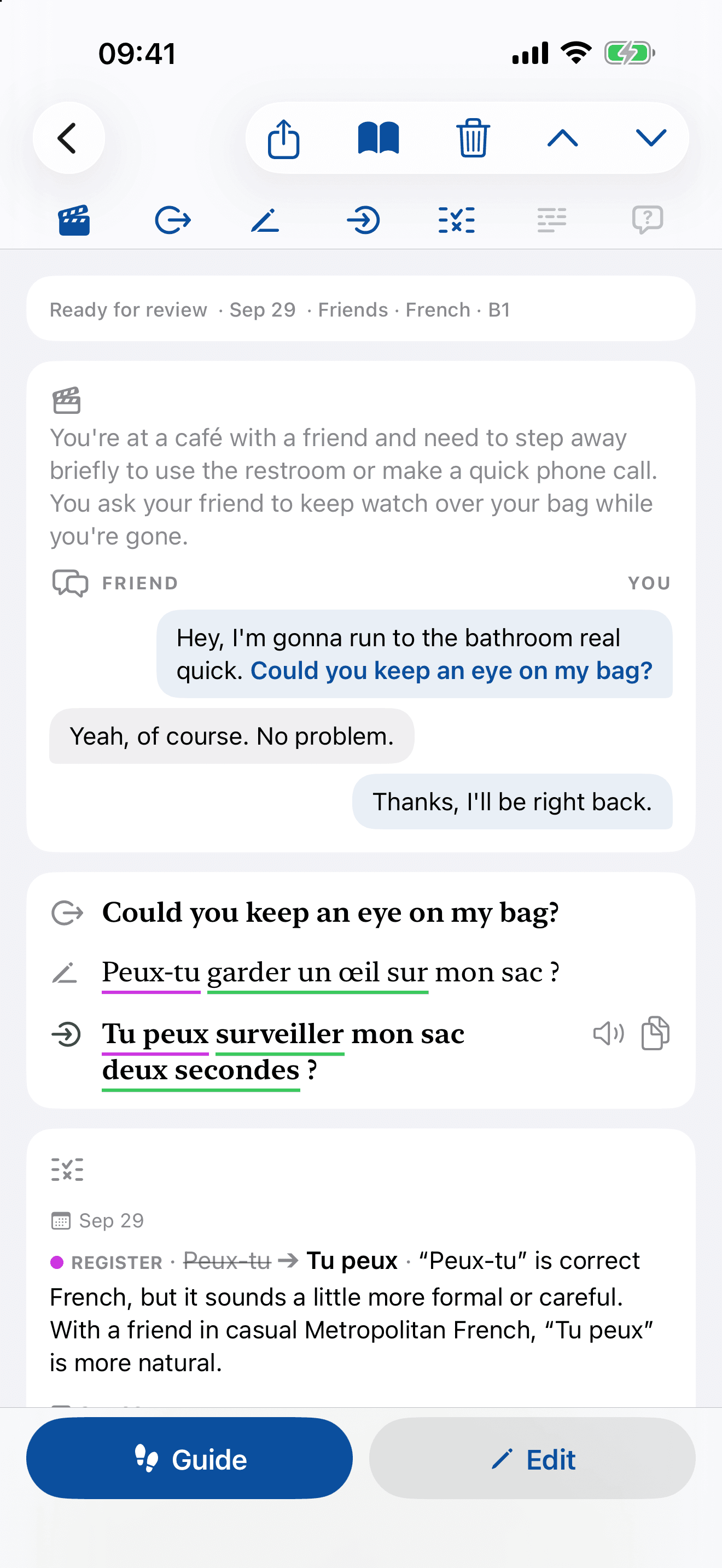
Every card holds a scene, a reference and a reason.
Where it would be said, what a native speaker would say, and what yours did instead — read top to bottom, on one page.
Free while it’s a beta.
No card and no trial clock. When OnceEver leaves beta there will be a price, and it will be named here before it applies.
Ask for an inviteIs this Anki with AI?
The scheduler is the same idea — FSRS, fitted weights and all. Two things are different: you never write a card, and it isn’t the card that’s scheduled. Each point inside it — each difference, keeper or question you chose — carries its own interval, so one weak word in a sentence you otherwise own comes back on its own.
How is this different from a translator?
A translator hands you a sentence and you’re done with it. OnceEver writes its own version at your level and in the voice you chose, tells you how yours differed and why — and then asks you for it again next week.
Is my writing used to train models?
No. Your writing is never used to train a model — ours or anyone’s.
What happens to my recordings?
They’re transcribed and dropped. There is no audio table and no cache — the transcript lands in the box as editable text, and speaking produces a draft, never a submission.
Do I need the iPhone app?
No — the web app works today, with every screen the phone has. The iPhone build goes out with beta access, and it’s the one that takes photos, recordings and phrases shared from other apps.
Can I export my phrases?
Yes. A card leaves through the ordinary share sheet two ways at once: as a file OnceEver reads back whole, and as plain readable text for anyone who doesn’t have the app.
Who is it not for?
Absolute beginners — you need enough of the language to write a wrong sentence. Anyone who’d rather chat with a bot than be corrected by one. Anyone who won’t write anything themselves. And anyone who wants a dictionary or a faster translator: there are better tools for both.
The next phrase you get wrong is worth keeping. So is the next one you like.
Write to us and we’ll send you in. Tell us which language you’re working on, and roughly how well it’s going.
beta@onceever.app