OnceEver

Learn the language you actually need, and keep it.

Start learning on the webAsk for iOS public betaEighteen languages · from $2.99 a month

Retention first.

Reading, talking, watching videos, even travelling: all fun, and most of what you meet is gone within days. OnceEver is built on the two methods that make anything you learn stay, a language included: spaced repetition and active retrieval.

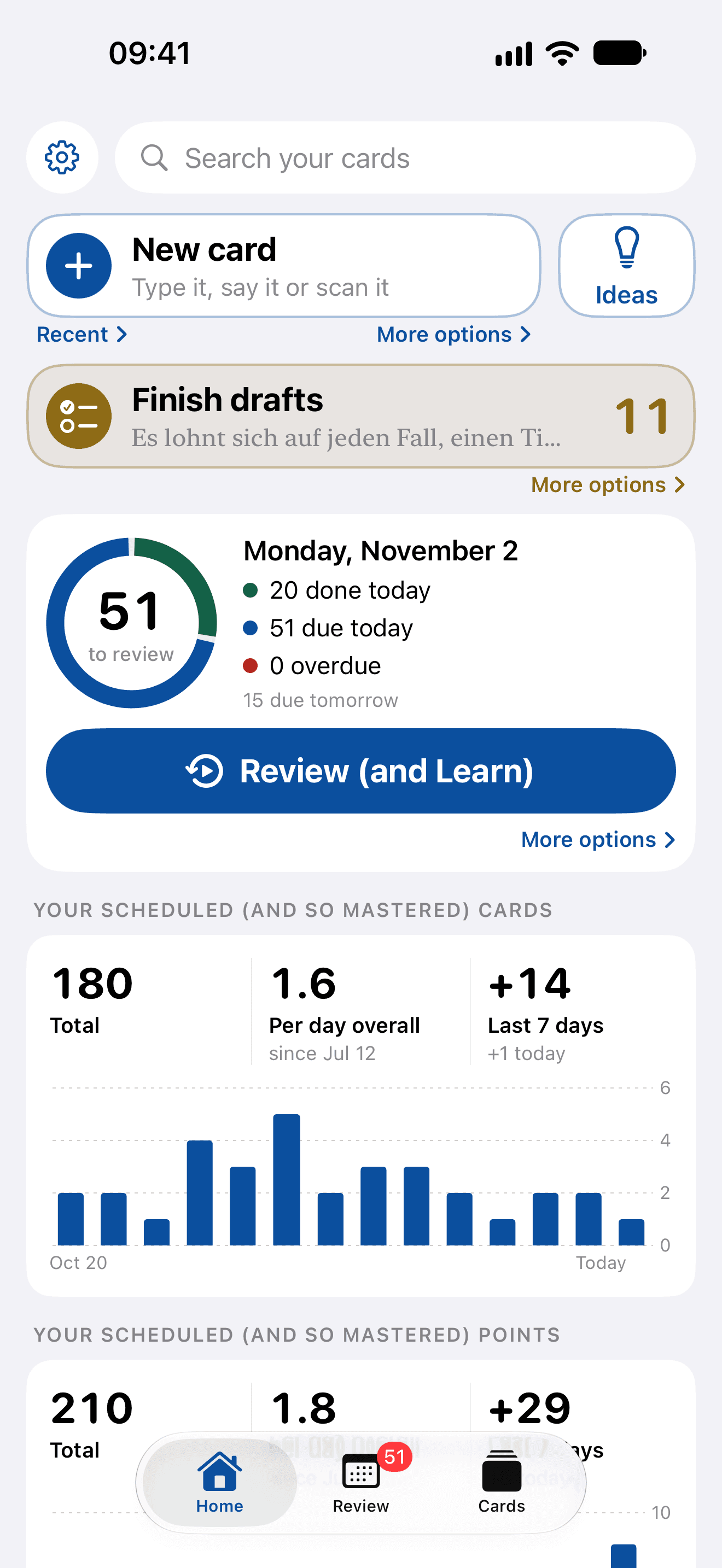
Your pointsToday
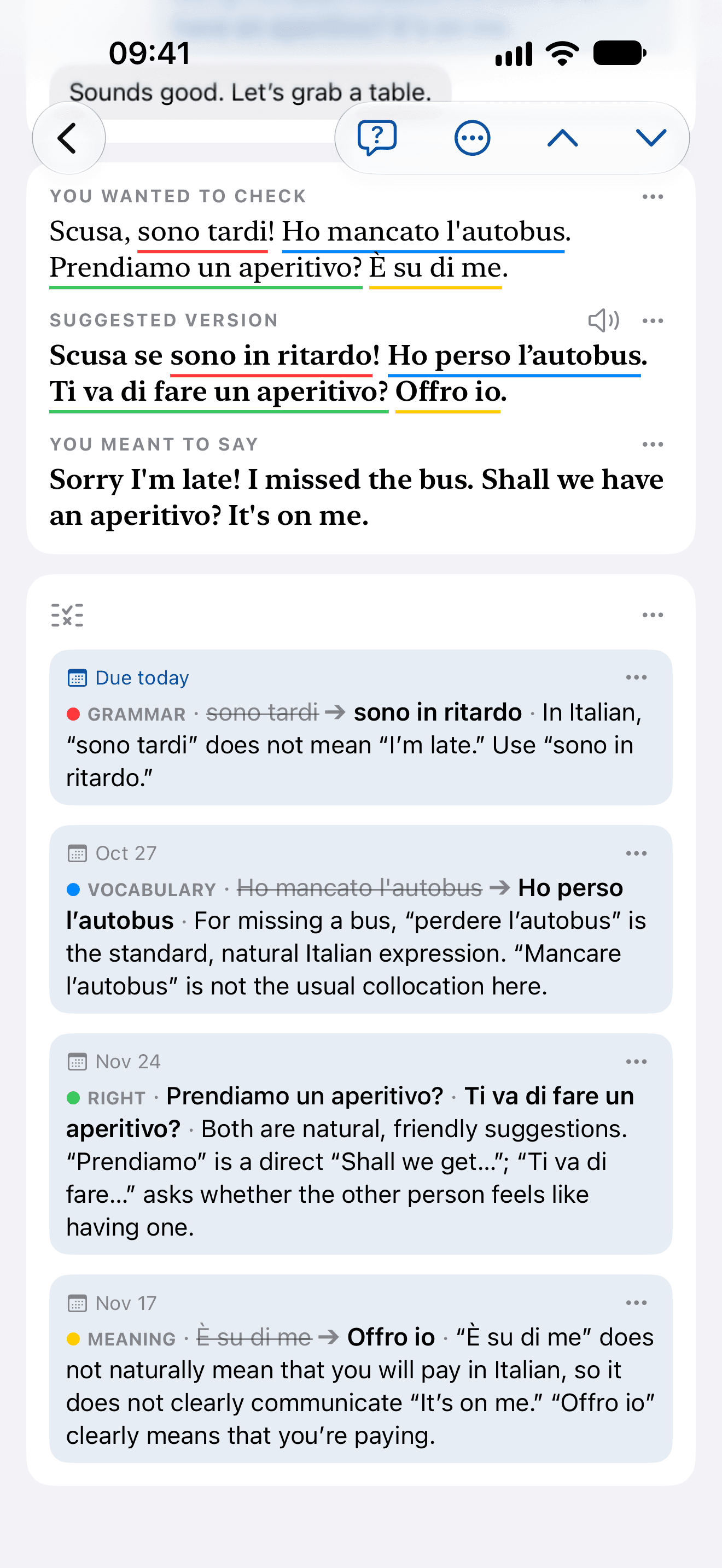
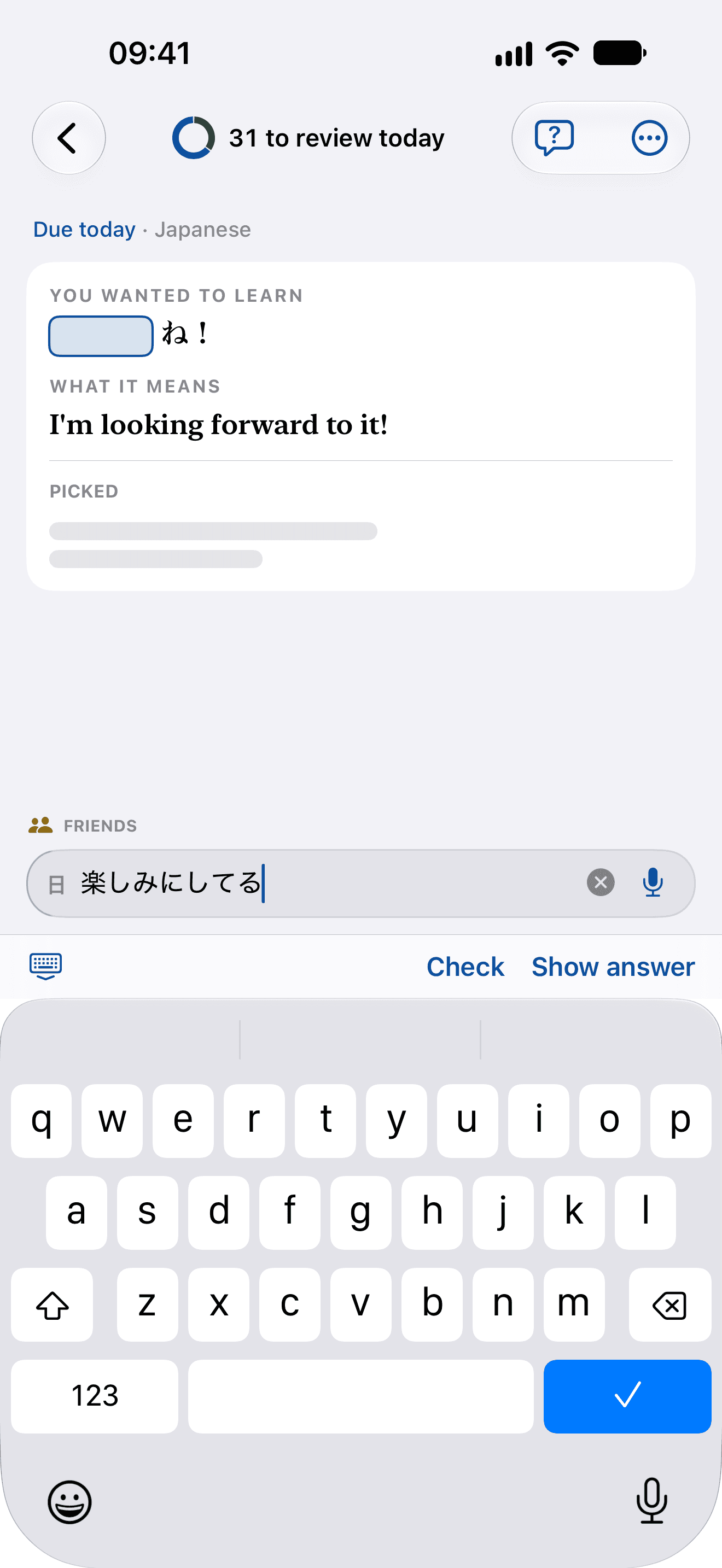
Every word you pick and every slip that’s corrected becomes a point. When one is due, you recall it, check it and say how it went, and your answer sets the day it comes back.
OnceEver at a glance

The app, in motion.

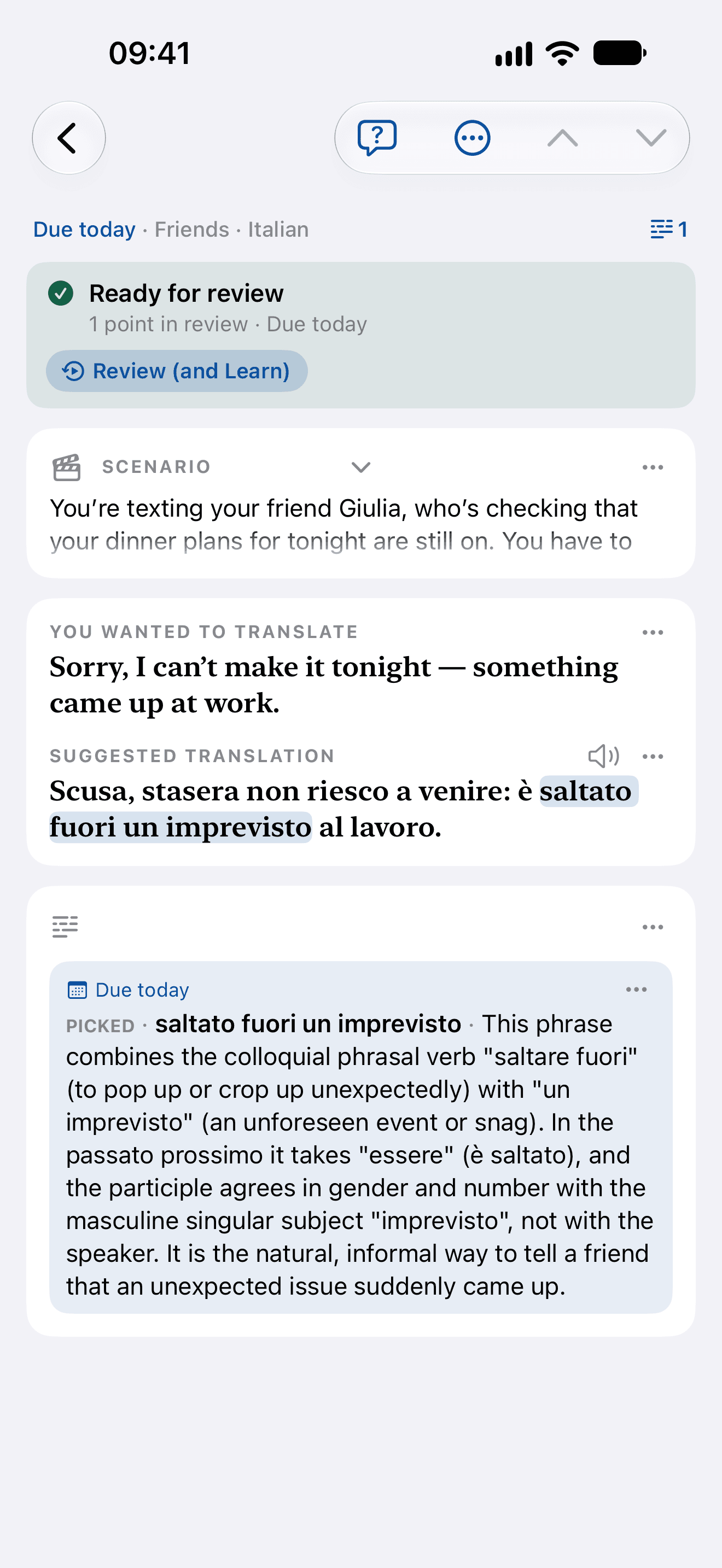
The main features in one reel: write one phrase, see it as a native would write it, every difference marked and explained, choose what to review, pick words, ask, review each point on its own schedule, and Ideas.

0:00 / 0:00
Script. Learn what's worth knowing, point by point: from a phrase you write, Grammar, en las seis to a las seis; from a phrase you read, Picked, rufe … an; from a question you ask, Could I just say “llego tarde” instead? Each point comes back just before you'd forget it: each on a timeline of its own. Then the films below, in turn: Marking, from the phrase typed to its explanations, then the points added to review or kept out; Picking, the words swept, a split verb made one group, and Explain writing what each pick is doing; Questions you keep, a question asked, answered and added to review; Spaced review, a point recalled and rated on its own history, then the gaps growing; Ideas, a text written at your level, picked from and saved. OnceEver. Rigorous study, for busy learners.
How you keep it
What you learn

Just smart spaced repetition.

How hard was that to recall?
Last review58 days ago
Next review—
Forgot10 min
Hard20 days
Got it~1 month
Easy~2 months
Italian: your answer sets the next review.
The scheduler, FSRS, works out when each point you kept (a correction, a word you picked, an answer) is about to slip and asks for it then. After every recall, one tap says how it went, from Forgot to Easy, and the next review is set from your answer and that point’s own history. Forget it and it’s back in ten minutes; get it right every time and the gaps stretch from days to months.

Because it stays, you can finally take on the language you actually want, and keep it.

  • Sound like the localsThe slang your colleagues, classmates and friends actually use, not the textbook’s version of it.
  • Follow what you love, every word of itWords so casual or so local you only hear them in TV series and songs: now you can learn them.
  • Learn several at onceEach language keeps its own level, each phrase its own reviews, so they never get in each other’s way.
  • Indulge your curiosityA chat on a train, coffee with a foreign colleague, a wedding toast: the phrases you met once now stay.
New to the language, or already getting by? See how to use it for each →

Your writing never trains a modelRecordings are transcribed, then droppedEvery card exports

Price

Two plans, and the whole app on both.

Every language, every feature and every way to review, on either plan. What a plan sets is the credits you get each month: what the marking, the explanations, Ideas, the answers to your questions, the readings and the studio voice draw on.

You subscribe here, under Credits usage once you have signed in.

Basic

Suggested
$2.99a month

A month of credits, every month.

Where we suggest you start.

Plus

$9.99a month

Four times Basic’s credits, every month.

For you if you:
  • Already know spaced repetition
  • Want better answers and the studio voice more often
A trial first
Every account starts with credits for a few cards, once, so you can see what a card is before you choose.
On the web or in the app
A plan renews each month and stops whenever you like: from Credits usage on the web, or from your Apple account if you subscribed in the app.
Make them last
Your device’s own voice uses no credits, and Settings can put each feature on Standard to use fewer.
One account
Your plan comes with you to the web app: the same cards, the same credits.
Questions

Is this Anki with AI?

The scheduler is the same idea — FSRS, fitted weights and all. Three things are different:
  • You never write a card.
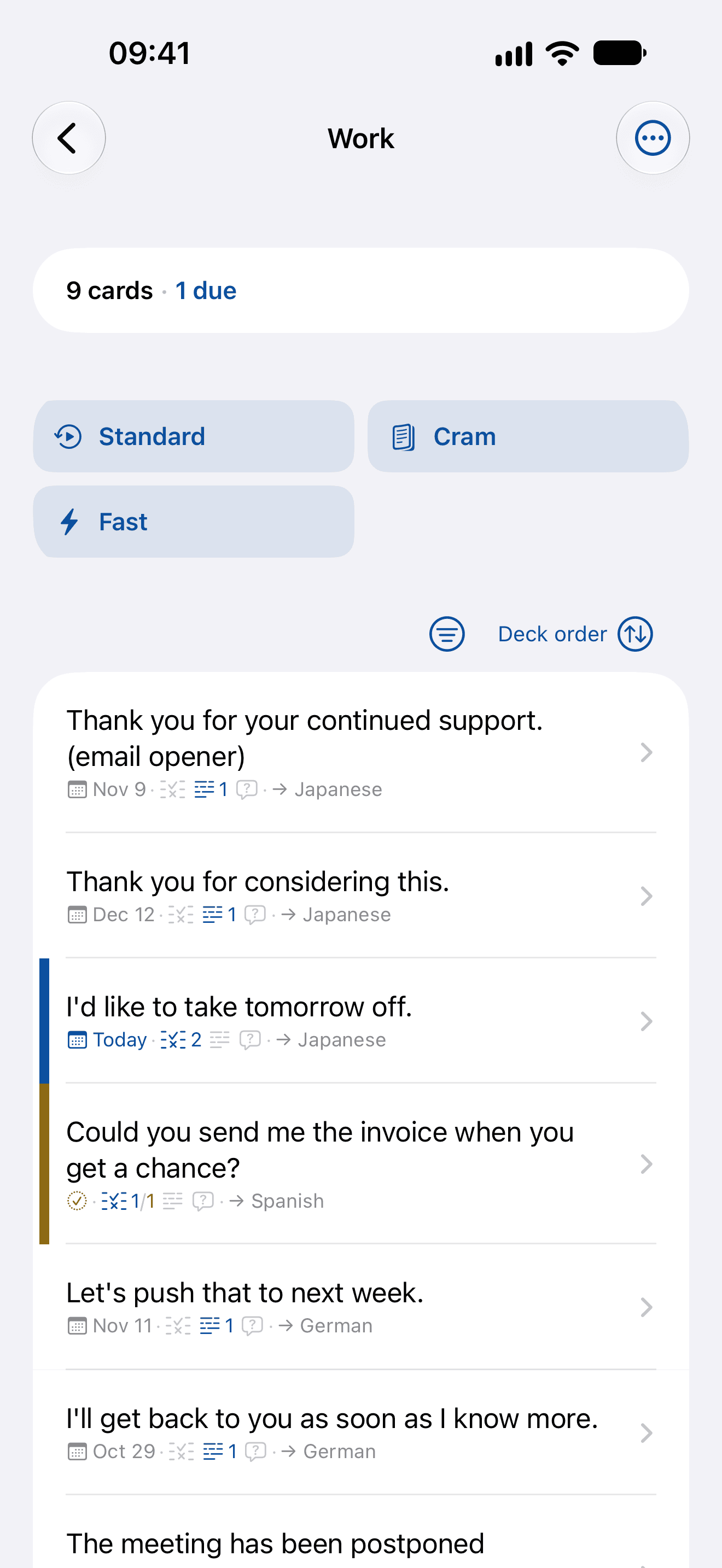
  • It isn’t the card that’s scheduled. Each point inside it — each difference, keeper or question you chose — carries its own interval, so one weak word in a sentence you otherwise own comes back on its own.
  • One account on the web, iPhone and iPad: the same cards everywhere, synced as you go.

How is this different from a translator?

A translator hands you a sentence and you’re done with it. OnceEver writes its own version at your level and in the voice you chose, tells you how yours differed and why — and then asks you for it again next week.

Is my writing used to train models?

No. Your writing is never used to train a model — ours or anyone’s.

What happens to my recordings?

They’re transcribed and dropped. There is no audio table and no cache — the transcript lands in the box as editable text, and speaking produces a draft, never a submission.

Do I need the iPhone or iPad app?

No — the web app works today, with every screen the iPhone and iPad app has, on the same account, and you can subscribe in either. On iPhone and iPad, the app also takes photos, recordings and phrases shared from other apps, and is in public beta on TestFlight: ask for an invite.

Can I export my phrases?

Yes, as text. Share, in a card’s menu, sends the whole card as plain text anyone can read: the phrase and what it means, your attempt with its corrections, the words you picked, your questions and the scenario. It goes through the ordinary share sheet on the phone, and from the same menu on the web.

Who is it not for?

  • Anyone who’d rather chat with a bot than be corrected by one
  • Anyone who won’t write anything themselves
  • Anyone who wants a dictionary or a faster translator: there are better tools for both
OnceEver